Week 10 - Docker And OpenCV Experiment
Task Goal
This week strengthens Docker image workflow and verifies OpenCV-related dependencies for robot vision experiments.
Folder Check
week10/
|-- README.md          # required report
|-- img/               # output image
Environment
- Docker
- Python
- OpenCV
- PyBullet
Steps
- Enter the ROS2 container environment.
- Install OpenCV and PyBullet.
- Verify that the environment works.
- Save the configured container as an image.
Commands
docker commit -m "install pybullet and opencv" d8e79722b2b0 my-ros2-full:v1.0
docker images
docker ps
Result
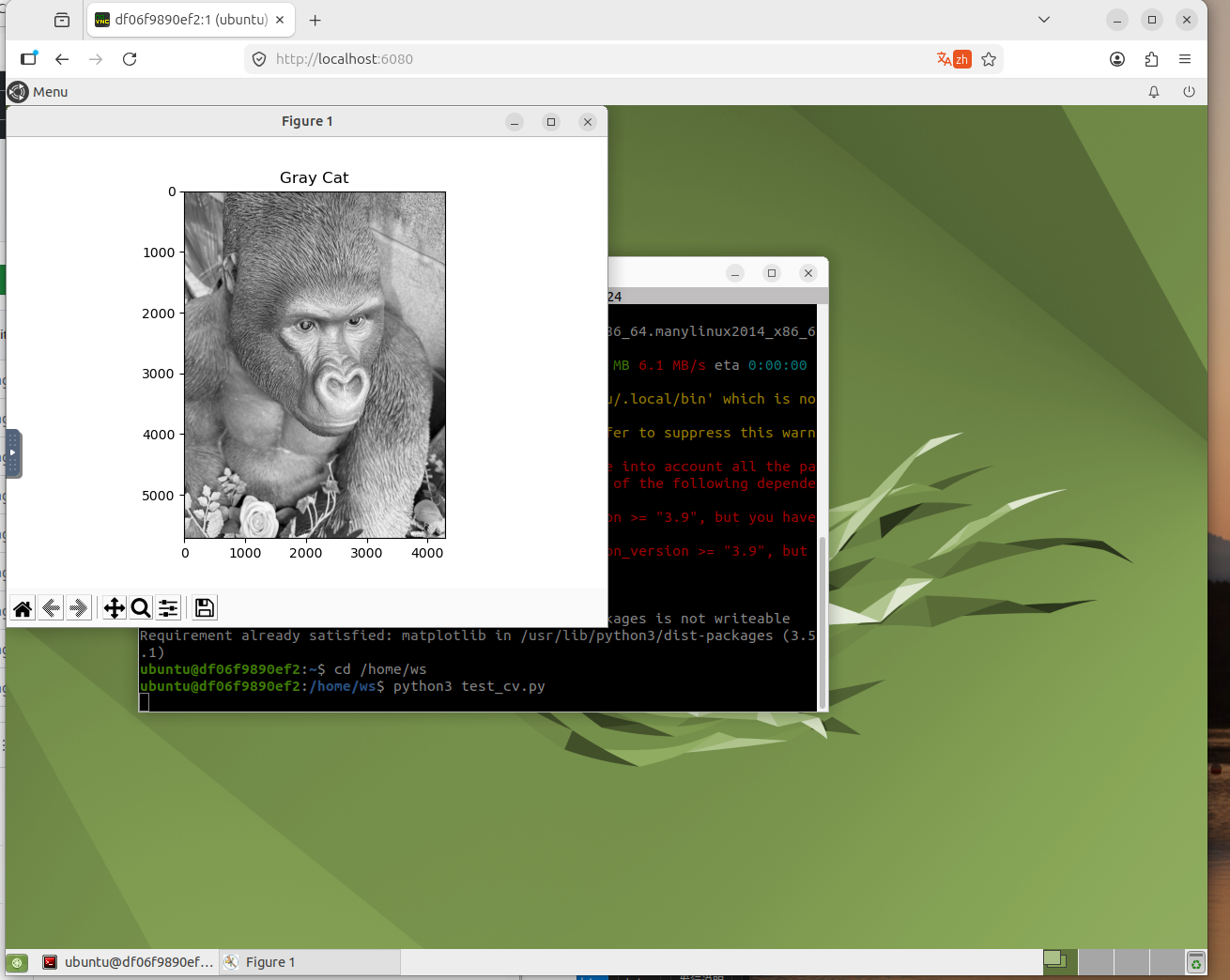
Summary
The task prepares a reusable vision environment. OpenCV and PyBullet support later perception and simulation work.
遇到的问题与解决
| 问题 | 原因 | 解决方案 |
|---|---|---|
| 环境配置报错 | 依赖版本不兼容 | 查阅官方文档确认版本匹配后重新安装 |
| 命令执行无响应 | 环境变量未加载 | 执行 source 加载 ROS2 环境脚本 |
| 截图无法正常显示 | 图片路径错误 | 检查相对路径,确保文件在正确目录 |
| 代码运行失败 | 缺少依赖包 | 使用 pip install 补全缺失的依赖 |